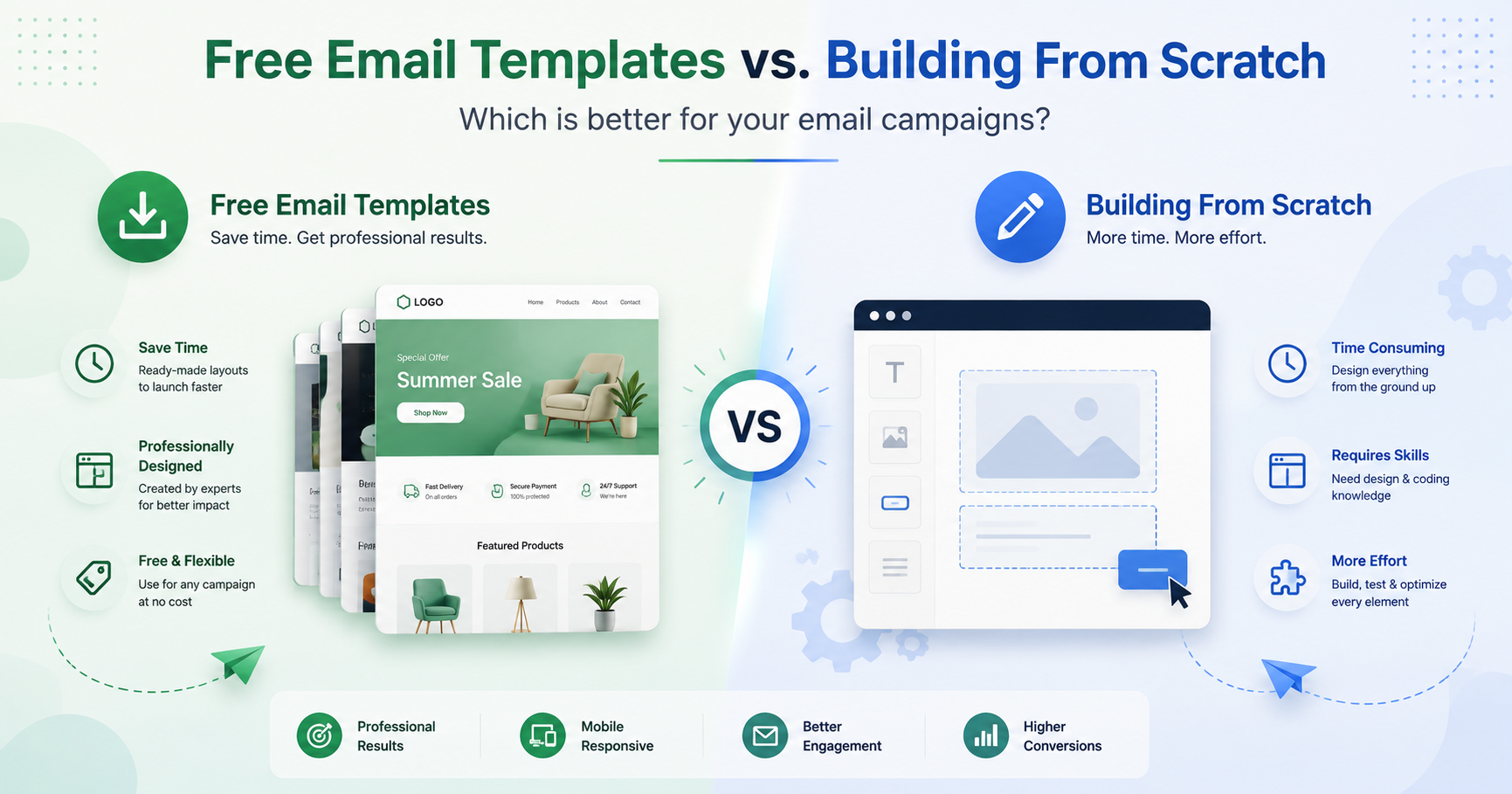
Creating a good marketing email sounds simple until you actually sit down to build one.
You need a layout that looks professional, works on mobile, supports your content, matches your brand, and displays properly across different email clients. Then there is the technical side: tables, inline CSS, responsive behavior, buttons, image sizing, spacing, and compatibility issues.
For many marketers, small businesses, agencies, and SaaS teams, starting every email from a blank page simply does not make sense.
A faster approach is to begin with professionally designed free email templates, customize them for your campaign, and use an HTML Email Builder when you need more control over the final design.
Here is how this workflow can make email creation faster without sacrificing quality.
Why Building Every Email From Scratch Is Often Inefficient
There is nothing wrong with creating an email from scratch. For highly customized campaigns, it may even be necessary.
The problem is doing it every single time.
A typical marketing team may need emails for:
- Product announcements
- Newsletters
- Welcome campaigns
- Promotions
- Event invitations
- Account notifications
- Seasonal offers
- Customer onboarding
- Lead nurturing
- Re-engagement campaigns
Creating a completely new layout for each campaign means repeatedly solving many of the same design problems.
Where should the logo go? How wide should the content area be? How should the CTA appear on mobile? How much space should separate sections?
A good template answers many of those questions before you start writing.
That allows marketers to focus on the parts that actually make each campaign different: the message, offer, audience, imagery, and call to action.
What Are Free Email Templates?
Free email templates are pre-designed email layouts that can be customized for different marketing purposes.
Instead of beginning with an empty email, you start with an existing structure and replace elements such as:
- Headings
- Body copy
- Images
- Logos
- Buttons
- Links
- Colors
- Footer information
The best templates provide structure without forcing you into a rigid design.
For example, MailEditor offers a collection of free email templates that can give you a practical starting point for different types of campaigns.
You can choose a layout that already resembles what you want to send and then adapt it to your brand.
This is especially useful for teams that need to create emails frequently but do not want to design every campaign from zero.
The Biggest Advantage: Speed
The most obvious benefit of using an email template is time.
Imagine you need to prepare a promotional email today.
Starting from scratch may involve creating a header, designing the hero section, deciding how product information should appear, building a CTA, designing the footer, and then checking whether the entire email still works on smaller screens.
With a template, much of that structure already exists.
Your workflow becomes:
- Select a suitable template.
- Replace the placeholder content.
- Apply your brand colors and typography.
- Add your links and CTA.
- Preview the email.
- Export or use the resulting HTML in your email platform.
For teams producing several campaigns every month, those saved hours quickly add up.
Templates Also Improve Design Consistency
Consistency matters more than many email marketers realize.
If every campaign uses completely different spacing, typography, buttons, and visual hierarchy, subscribers may struggle to recognize your brand.
Templates help establish repeatable design patterns.
A team might create standard layouts for:
- Monthly newsletters
- Promotional campaigns
- Product updates
- Transactional messages
- Event announcements
The content changes, but the underlying design language remains familiar.
That can also make collaboration easier. Instead of every team member designing according to personal preference, everyone can work from approved layouts.
When an HTML Email Builder Becomes Useful
Templates are excellent starting points, but marketers often need to customize them.
Perhaps you want to add another product section, rearrange content blocks, create a different CTA area, change the header, or build an entirely new email without manually writing HTML.
This is where an HTML Email Builder becomes useful.
MailEditor provides a visual environment for creating and editing HTML emails without requiring marketers to hand-code every element.
Instead of spending your time editing nested tables and CSS declarations, you can concentrate on the layout and content.
This is particularly helpful for people who understand what they want an email to look like but are not professional email developers.
Why Email HTML Is Different From Normal Web Design
One common mistake is assuming that an email can be built exactly like a modern website.
Email clients behave differently from web browsers.
Web developers can often rely on modern CSS techniques and relatively consistent browser support. Email developers have to account for a much more fragmented environment.
An email may be opened in:
- Gmail
- Outlook
- Apple Mail
- Yahoo Mail
- Mobile mail applications
- Desktop applications
- Webmail interfaces
These environments do not all interpret HTML and CSS in exactly the same way.
That is why email layouts commonly use techniques that may seem unusual to traditional web developers, including table-based structures and inline styles.
Using a purpose-built eMailEditor or an established template can reduce the amount of technical work required to create that structure yourself.
Templates Are Not Supposed to Remain Generic
Using a template does not mean your emails have to look like everyone else’s.
A template should be treated as a foundation.
Once you select one, customize it around your brand.
Change the branding
Replace generic colors with your brand palette and add the correct logo.
Rewrite all placeholder copy
Do not simply modify a few words. Write content specifically for your campaign and audience.
Use your own imagery
Relevant product images, illustrations, screenshots, or branded graphics can immediately make a template feel unique.
Adjust the layout when necessary
Remove sections that do not serve the campaign and add blocks that improve the message.
Create a clear CTA
Every major email should have an obvious next step.
Depending on the campaign, that might be:
- Shop now
- Start your trial
- Read the article
- Book a demo
- Register today
- View the update
The template gives you the structure; your content gives the email its purpose.
A Better Email Creation Workflow
For most marketing teams, the ideal process combines templates with a flexible editor.
Step 1: Define the campaign goal
Before choosing a design, decide what the email needs to accomplish.
Are you trying to generate sales? Drive readers to an article? Announce a product? Encourage users to return to your app?
One clear objective usually produces a stronger email.
Step 2: Choose the closest template
Browse MailEditor ‘s free email templates and choose a design that already fits the general structure you need.
Do not search for a template that matches every tiny detail.
The goal is to find the best starting point.
Step 3: Customize the layout
Use an HTML Email Builder to modify the design around your campaign.
You might change:
- Section order
- Backgrounds
- Text
- Images
- Buttons
- Spacing
- Columns
- Dividers
- Headers and footers
Step 4: Keep the hierarchy simple
Subscribers rarely read marketing emails word for word.
Make the main message easy to understand quickly.
A straightforward structure often works well:
Headline → supporting message → key benefit or offer → CTA
Additional information can appear further down the email.
Step 5: Check the mobile experience
A significant portion of email reading happens on mobile devices, so avoid treating mobile formatting as an afterthought.
Check that:
- Text is readable.
- Buttons are easy to tap.
- Images scale correctly.
- Columns do not become overcrowded.
- Important content appears early.
- Horizontal scrolling is avoided.
Step 6: Review before sending
Always preview the final email before launching the campaign.
Check:
- Links
- CTA destinations
- Spelling
- Personalization fields
- Images
- Alt text
- Footer details
- Unsubscribe information
- Mobile layout
A reusable template makes this process easier, but it does not replace final quality control.
What Makes a Good Email Template?
Not every attractive design is necessarily a good email template.
A useful template should prioritize communication rather than decoration.
Look for a layout with:
Clear visual hierarchy
The reader should immediately know where to look first.
Flexible content sections
You should be able to add, remove, or rearrange blocks without breaking the overall design.
Strong CTA placement
Important actions should be noticeable without overwhelming the rest of the email.
Mobile-friendly structure
The design should remain readable when the available screen width becomes smaller.
Appropriate spacing
White space makes email content easier to scan and prevents the design from feeling crowded.
Brand flexibility
A good template should be easy to transform into something that feels like your company rather than the template creator’s brand.
Who Benefits Most From This Approach?
Using templates together with an email builder can work for almost any organization, but it is particularly valuable for certain teams.
Small businesses can create professional campaigns without hiring a developer for every email.
Marketing teams can produce campaigns faster while maintaining more consistent branding.
Agencies can use reusable structures to improve workflows across multiple client projects.
SaaS companies can build newsletters, product updates, onboarding emails, and announcements while keeping designs aligned.
Email developers can also benefit by using an editor for routine work and reserving custom coding for situations that genuinely require it.
Don’t Confuse Faster With Lower Quality
There is sometimes a perception that using templates means taking shortcuts.
It depends on how you use them.
Starting from a well-designed structure is no different from using a design system, component library, or website framework. The reusable foundation removes unnecessary repetitive work.
Quality still depends on the decisions you make afterward.
A poorly written email will remain poor even inside a beautiful template.
Likewise, a strong offer can lose impact if the email is cluttered, difficult to read, or confusing.
The best workflow combines good structure with thoughtful content.
Final Thoughts
You do not need to rebuild the same email components every time you launch a campaign.
Starting with free email templates can reduce repetitive design work while giving your campaigns a professional foundation. When you need to customize that foundation further, an HTML Email Builder gives you the flexibility to create the layout you need without manually coding every section.
MailEditor brings those two parts of the workflow together: ready-to-use templates for faster starts and a visual email-building environment for customization.
The result is a simpler process—choose a strong starting point, adapt it to your brand, refine the content, test the email, and send.
For marketers who create campaigns regularly, that is often a much better use of time than beginning with a blank page every time.